
Before You Start
- This is a one-time setup to enable USB debugging on your Jetour G700.
- It usually takes about 3 minutes.
- Important: Apps you install will not appear in the car's official menu. You'll need E Launcher to see and open them.
What You'll Need
- A laptop or Android phone with Chrome or Edge browser.
- A USB-A to USB-A cable. If your computer or phone doesn't have a USB-A port, use an OTG adapter to USB-C.
- Your car powered on, with the head unit ready.
ADB Setup Instructions (International Version)
→
-
Step 1 — Open the Phone app and dial the code
In the car, open the Phone application and dial:
*#20240730#*A hidden menu will appear (in Chinese).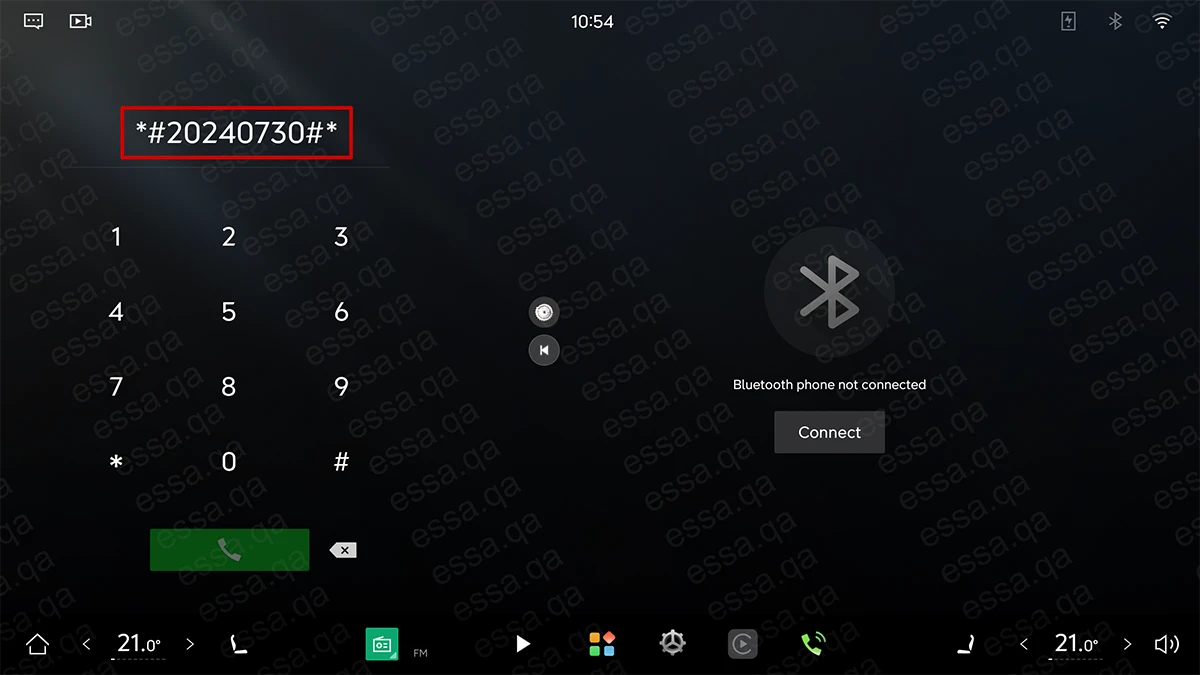
-
Step 2 — Open the hidden settings menu
Scroll down until you see:
加密设置
(under the option ENC开关)
Tap it, then tap:
进入加密没置You'll be asked to enter a code.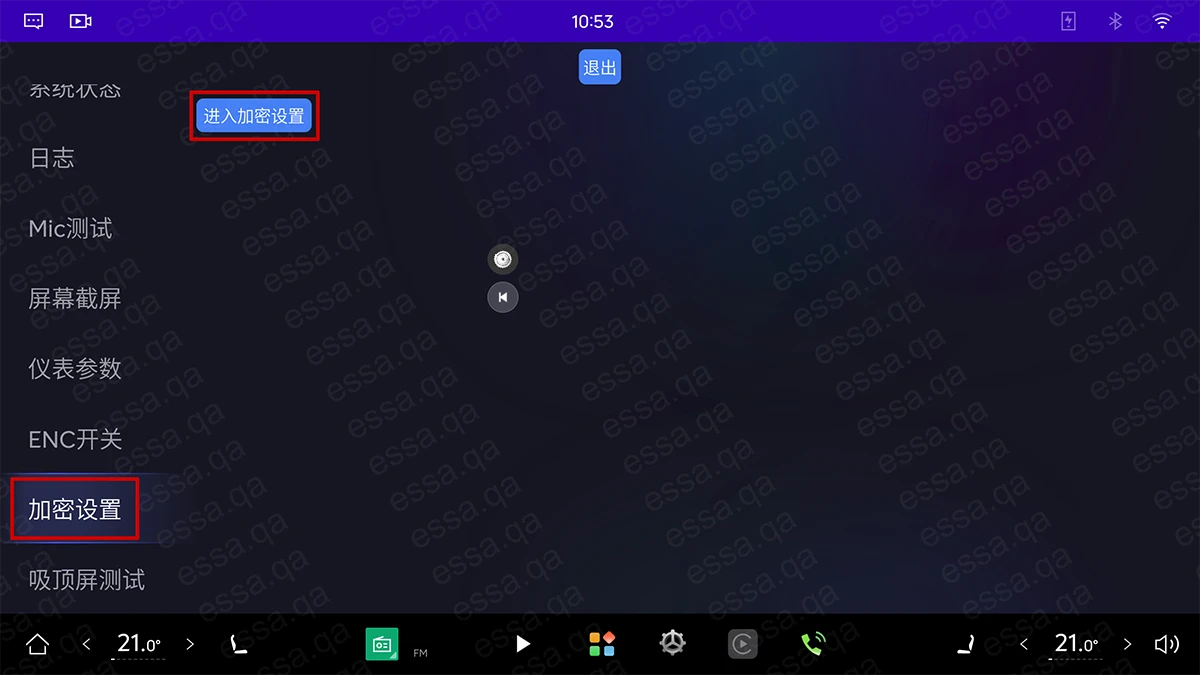
-
Step 3 — Enter the daily code
The code changes every hour. Choose whichever option works best for you: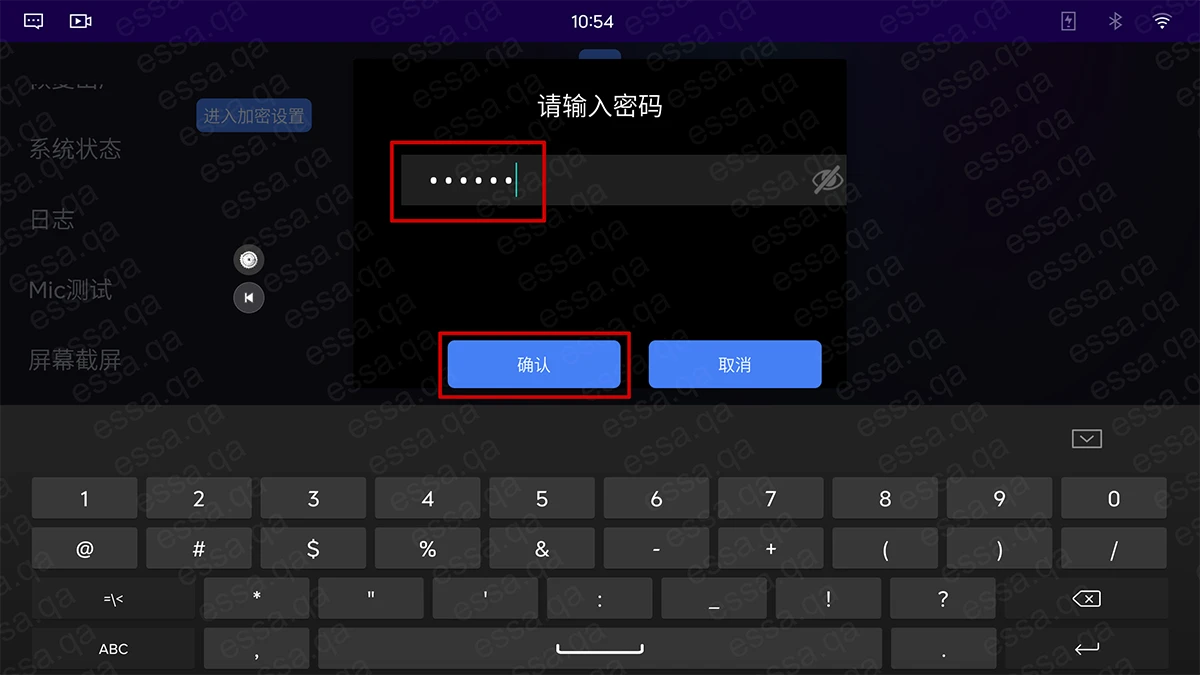 Option A — Quick code (right now)
Set the car's date and time to:
2026-07-05 11:34 PM
Then enter this code:
127167Option B — Generate codes yourself
Download a generator from the Downloads section below to calculate the correct code for any date and time. -
Step 4 — Turn on ADB Mode
After entering the code, enable:
ADB模式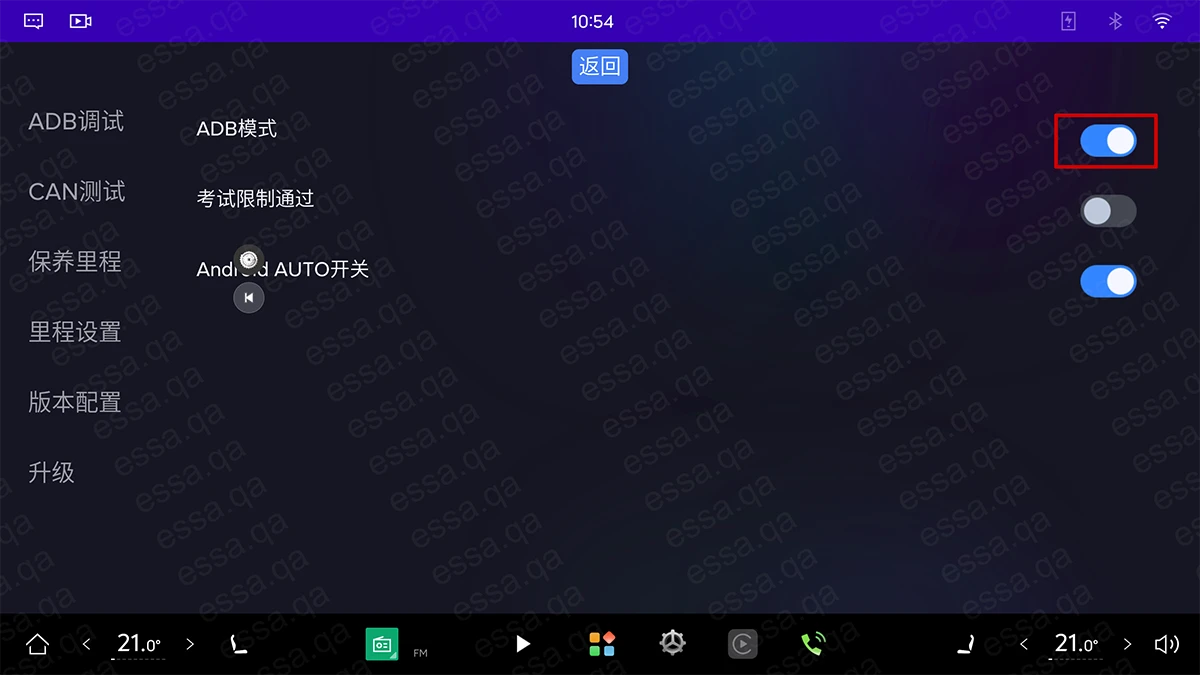 ⚠ Two things to know:
• Plug your USB cable BEFORE enabling ADB mode, so the head unit can detect the USB connection.
• Every time you unplug and reconnect, you must disable then re-enable ADB mode.
Downloads (Code Generator)
Troubleshooting
→
-
The hidden menu didn't appear when I dialed the code
Make sure you typed the code exactly: *#20240730#*. The keypad may need each character typed slowly. -
"Wrong code" when entering the daily code
The code is tied to the car's date and time. Either set the car to the time shown in Option A above, or use the generator from Downloads with the car's actual date and time. -
USB device not detected on my computer
Unplug the cable, disable ADB on the car, plug back in, then enable ADB again. Confirm you're using a USB-A to USB-A cable (or the correct adapter). -
Installed apps don't appear in the car menu
That's normal on the G700. Install E Launcher — it gives you access to every installed app.
Download Statistics
- Total Downloads: 137
- Shortcut Downloads: 29
- Excel Downloads: 108